Executives will go at great lengths to protect their boardroom conversations, legal documents, financial decisions, investor communications, and private calendars carefully. But you’d be surprised to know how many will still connect to an airport Wi-Fi, hotel network, conference Wi-Fi, or business lounge internet with little or no thought to the dangers.
Public Wi-Fi may feel harmless, and you may find it hard to resist logging into one, but that convenience can expose you in dangerous ways. Even when websites use encryption, executives can still reveal connection patterns, location clues, device behavior, login activity, and sensitive work habits if they are not careful.
For the average traveler, poor Wi-Fi habits can indeed increase the risk of losing their data or having their identity stolen. But for an executive, high-net-worth individual, or public figure, the stakes go much higher and can include exposed travel patterns, compromised accounts, business intelligence leaks, reputational harm, and personal security risks.
That is why VPN practices for executives should be part of a broader executive privacy and travel security routine, not just a basic tech tip.
Key Takeaways
VPN practices for executives help reduce exposure on hotel Wi-Fi, airport networks, conference Wi-Fi, and other connections you do not control.
A VPN supports safer browsing, but it does not stop phishing, weak passwords, malware, unsafe apps, or careless behavior.
Strong VPN for business travel habits matter when executives access email, cloud files, financial accounts, dashboards, or private communications on the road.
Executives should pair VPN use with multi-factor authentication, secure devices, strong passwords, and safer travel routines.
Free VPNs are usually a poor fit for executives because trust, privacy policies, and security controls matter more than price.
Business travel creates a privacy problem many executives underestimate.
You may be sitting in a luxury hotel, a private airport lounge, or a high-end conference venue, and feel that your digital security is protected with the same level of high-end attention.
But that may not be the case, the network that you connect to may be monitored, spoofed, or poorly secured. That matters because executives often access sensitive accounts while traveling: business email, legal documents, cloud storage, private messages, financial accounts, and internal dashboards.
This is where a VPN comes into play. A virtual private network encrypts traffic between your device and the VPN provider’s server, making it harder for a local Wi-Fi operator, attacker, or snooper on the same network to observe your browsing activity. Think of it like a protective tunnel that connects your device to the Internet.
It should be noted however, that using a VPN will not fully protect you against all the cyber dangers out there. For instance, it won’t protect you from clicking a phishing link, reusing weak passwords, installing unsafe apps, or working from a device that has already been compromised. A VPN must therefore be considered as an essential part of your wider digital protection landscape.
In this article, you will learn how to apply VPN practices for executives using a simple framework: what to check before connecting, what to do during travel, what to avoid, and how to choose a VPN that fits a higher-risk lifestyle.
So let’s get to it!
Image by Freepik
Is Public Wi-Fi Safe for Business Travelers?
Simple answer: No. Although there has certainly been an effort to increase the security of public Wi-Fi connection in recent years, executives should still treat it with caution.
Many websites now use encrypted HTTPS connections, which helps protect information sent between your browser and the website. However, public Wi-Fi can still create risks because you do not control the network.
And that’s the important bit to consider, a public network may expose which services or apps your device connects to, whether the apps are syncing in the background, whether you accidentally join a fake hotspot, or whether you are redirected through a risky login portal to a fake website.
If you’re just doing casual browsing and not accessing sensitive information, the risk is negligible, but if you’re accessing sensitive business, legal, financial, or personal information, it’s not recommended to use an open public Wi-Fi network without using a good VPN.
This is why public Wi-Fi security for executives should be part of a business travel cybersecurity routine, not an afterthought.
The Executive VPN Safety Framework
When traveling, the safer default is simple; turn your VPN on before using any public or shared Wi-Fi. Period.
Airport networks, hotel Wi-Fi, conference internet, cafés, business lounges, and coworking spaces are not networks you control. A VPN should be part of your standard travel routine, not something you activate only after something feels risky.
So the better question is not:
“Should I turn on my VPN?”
The better question is:
“Is a VPN enough for what I am about to do?”
With this in mind, use this five-part framework before handling sensitive work on any network that’s out of your control. It will help you decide whether the public Wi-Fi you’re about to use with a VPN is acceptable, or whether the task deserves a safer option, such as mobile data, a trusted hotspot, or a company-managed connection.
1. Network Risk
Your private home network is different from hotel Wi-Fi. A company-managed network is different from airport Wi-Fi. A mobile hotspot is different from a random café network with no password.
Therefore before connecting to the network, ask yourself:
Is this network public or private?
Do I know who operates it?
Is the network name easy to fake?
Am I in a high-risk setting such as an airport, hotel, conference, or business event?
Fake networks can look legitimate. A network called “Hotel_Guest_WiFi” may look real, but that doesn’t mean it necessarily belongs to the hotel, it could be set up by a hacker or scammer.
This is why executives should avoid auto-joining public Wi-Fi networks. Choose the network intentionally, verify the name when possible, and enable the VPN before connecting and any opening sensitive accounts.
2. Data Sensitivity
There is a major difference between reading a public article and logging into business email, banking apps, investment accounts, cloud storage, legal documents, private messaging apps, or admin dashboards.
If the activity is sensitive, your protection level must increase.
Using a VPN does increase your protection on a public Wi-Fi. However, for banking, legal review, financial approvals, account recovery, or confidential corporate access, you may want to increase your protection by using a mobile hotspot or other trusted connection.
That is one of the key principles of business travel cybersecurity: use the VPN by default, then match the connection type to the sensitivity of the task.
3. Device Exposure
A VPN protects the connection. It does not secure a poorly protected device.
Before only relying on a VPN during travel, ensure that your device is properly updated, locked with biometrics or a strong passcode, and free from unnecessary saved Wi-Fi networks. Also turn off file sharing, Bluetooth, and device discovery if not needed.
As mentioned before, if your device is already compromised, a VPN may protect the traffic from local network snooping, but it will not stop malware from stealing credentials or monitoring activity directly on the device.
That is why VPN discipline and device hygiene must work hand in hand.
4. VPN Discipline
The best VPN practices for executives are simple, but they must be consistent.
Before travel:
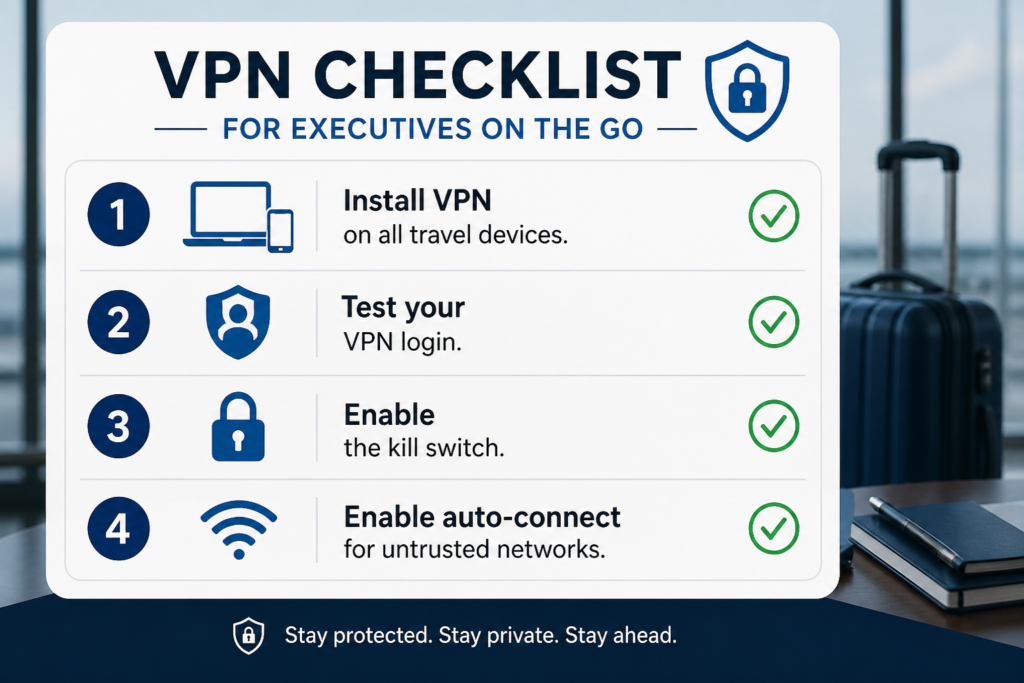
Install and test the VPN.
Enable the kill switch.
Turn on auto-connect for untrusted networks.
Confirm DNS leak protection.
Keep the VPN app updated.
Avoid logging into sensitive accounts before the VPN connects.
The kill switch is especially important. If the VPN connection drops, it can help prevent your device from continuing online without the VPN protection.
The goal is not just to have a VPN installed. The goal is to make sure it is active, configured, and working before sensitive activity begins.
5. Backup Protection
A VPN is just a single layer of protection.
It should also be supported by multi-factor authentication, a password manager, strong unique passwords, device encryption, secure cloud storage, private browser settings, software updates, data broker removal, dark web monitoring, and careful app permissions.
This is where your executive privacy online becomes broader than VPN use alone. A VPN protects part of the connection, but your accounts, devices, apps, and public data exposure also matter.
Image by Pixabay
VPN Practices Executives Should Follow Before Travel
The best time to set up and test your VPN is before you leave for your trip, not after you arrive at a hotel, airport lounge, or conference center.
Before travel, install the VPN on all your devices, confirm the login works, test the VPN on home Wi-Fi and mobile data, and make sure the subscription is active.
Then enable the kill switch, turn on auto-connect for unknown networks, update the VPN app, and remove old saved Wi-Fi networks. These steps reduce the chance of accidentally joining a risky network or going online without protection.
Also decide which device should handle sensitive work. If the trip involves confidential meetings, financial activity, legal discussions, or investor communications, consider using a dedicated travel laptop, a work-only phone, or a mobile hotspot instead of relying solely on public Wi-Fi.
This is one of the simplest ways to protect executive data while traveling; reduce what is available to expose in the first place.
VPN Practices Executives Should Follow During Travel
Once you are traveling, your goal is simple; to reduce exposure while still being able to do your work productively.
This is where VPN for business travel habits become part of your daily routine.
Turn on the VPN before opening sensitive accounts. That includes email, banking, cloud storage, legal documents, investor portals, business messaging tools, password managers, financial platforms, and website admin dashboards.
The order matters. Do not open sensitive accounts first and turn on the VPN afterward.
Next, verify the Wi-Fi network name before connecting. Don’t just assume a network is safe because the name looks official. In hotels, airports, coworking spaces, and conference venues, ask staff for the correct Wi-Fi name if several options look similar.
This simple step helps answer the practical question of how executives can stay safe on public Wi-Fi without relying only on software.
Even with a VPN, you should avoid certain activities such as wire transfers, large payments, legal approvals, password resets, account recovery, confidential file uploads, and sensitive board communications on public Wi-Fi when possible.
For higher-risk work, use a mobile hotspot. A personal hotspot is not perfect, but it is often safer than a random public Wi-Fi network even with a VPN.
What to Look for in a VPN for Executives
For executives choosing a VPN, price shouldn’t be the only consideration. The better question is whether the provider is trustworthy, transparent about its privacy practices, reliable under real travel conditions, and easy enough to use every day. A strong VPN for executives should include:
A clear no-logs policy
Independent audits
Kill switch
DNS leak protection
Strong performance
Multi-device support
Transparent ownership
Clear privacy policy
Reliable customer support
A no-logs policy is important, because when you use a VPN you’re now relying on the trust of the VPN provider instead of the public network. Executives should choose a provider that clearly explains what it does and does not collect.
Independent audits also help. They won’t make a provider perfect, but they add credibility by showing that an outside party has reviewed specific parts of the service.
Performance matters as well. If the VPN is too slow no one would want to use it. Executives need a VPN that’s optimal, supports secure browsing, email, video calls, cloud file access, messaging, and travel productivity.
If you are choosing a VPN for executive travel, start by researching providers with a strong reputation for privacy, transparency, and security features. Examples often discussed in the privacy and security space include NordVPN, Proton VPN, ExpressVPN, Surfshark, and Mullvad.
Why Free VPNs Usually Fall Short
Using a free VPN may be tempting, but executives should be cautious.
Running a VPN service costs money. Providers need servers, infrastructure, developers, support teams, security maintenance, and compliance resources. If the product is free, you should ask how the company makes money.
Some free VPNs may rely on advertising, limited features, speed restrictions, data collection, upsells, weaker infrastructure, or less transparent privacy practices.
That certainly doesn’t mean every free VPN is malicious or dangerous to use. It means executives, who often handle sensitive information, must be aware of the provider’s privacy practices, reliability, and transparency. These matter much more than whether the service is free.
If your work involves sensitive communications, private travel, high-value accounts, or public visibility, “free” should not be the deciding factor.
A VPN is part of your privacy infrastructure. Treat it that way.
Common VPN Mistakes Executives Should Avoid
A VPN is useful, but only when used properly.
Avoid these common mistakes:
Assuming a VPN makes you anonymous. It improves privacy, but websites may still identify you through account logins, cookies, browser fingerprinting, device identifiers, payment details, location permissions, and social media activity.
Logging into sensitive accounts before the VPN connects. Turn on the VPN first, then open private accounts.
Reusing weak passwords. A VPN will not protect you if one reused password unlocks multiple accounts.
Ignoring multi-factor authentication. A VPN is not a replacement for MFA.
Trusting every Wi-Fi login page. If a portal asks for unusual details, payment information, or app installation, verify it first.
Where possible, use app-based authentication, passkeys, or hardware security keys rather than SMS alone.
The Executive Travel VPN Checklist
Use this checklist before your next business trip.
Before Travel
Install VPN on all travel devices.
Test your VPN login.
Enable the kill switch.
Enable auto-connect for untrusted networks.
Confirm DNS leak protection.
Update your devices and apps.
Remove old saved Wi-Fi networks.
Disable auto-join for public networks.
Set up a mobile hotspot option.
Confirm MFA is enabled on key accounts.
During Travel
Verify the correct Wi-Fi network name.
Turn on the VPN before opening sensitive accounts.
Avoid financial approvals on public Wi-Fi.
Use a mobile hotspot for high-risk work.
Keep Bluetooth off when not needed.
Turn off file sharing and device discovery.
Avoid suspicious captive portals.
Watch for VPN disconnections.
After Travel
Forget public Wi-Fi networks.
Review account login alerts.
Check banking and cloud activity.
Update devices and apps again.
Change passwords if anything seems suspicious.
Conclusion
Executives should not wait until something feels suspicious to think about using a VPN.
By then, the exposure may already have happened. The better approach is to build repeatable habits, especially when travelling. You should always check the network, assess how sensitive is the task you’re about to perform, secure the device, turn on the VPN before accessing important accounts, and support the VPN with MFA, password managers, mobile hotspots, and secure device settings.
A VPN will not make you invisible. It will not stop every attack. It will not protect you from poor decisions.
However, used properly, it can reduce unnecessary exposure when traveling, working remotely, or using networks you do not control.
For a deeper step-by-step approach, download The Executive Privacy Blueprint from The Secured Executive and begin strengthening your digital privacy before your next trip.