Jump To:
ToggleYour face just approved a wire you never authorized.
It’s 12:47 a.m. A CFO receives a “verify-and-send” prompt on her company’s secure banking app. The device scans her face, authenticates instantly, and a six-figure transfer goes through. By morning, she’s confused and furious, she never opened the app, never tapped a button, and certainly never approved a transfer.
What This Means for Executives and HNWIs
When your body becomes your password, a breach goes far beyond financial loss. It’s your identity, your wealth, and your reputation, all compromised in a single moment.
In this article, we’ll unpack how high-net-worth individuals and executives can enjoy the convenience of biometric security without surrendering control of their most personal data.
TL;DR / Key Takeaways
- Biometric privacy for executives requires controlling where templates are stored (on-device vs cloud), how they’re encrypted, and who can request them.
- Attackers now use deepfake voices/faces and presentation attacks (e.g., masks, replays) to trick sensors; strong liveness detection and policy controls are non-negotiable.
- Treat biometrics as one factor in a layered model; pair with hardware tokens and contextual verification for sensitive actions.
- Create a personal biometric policy: opt out of casual collection, restrict “always-on” sensors, and push vendors to meet higher standards.
- Maintain an incident playbook: if biometric data is suspected exposed, immediately rotate other factors, lock high-risk workflows, and engage legal/PR.
Executives, public figures, and high-net-worth individuals operate in a world where convenience and confidentiality constantly collide. Biometric authentication promises frictionless access—unlocking phones, vaults, and systems with a glance or touch.
Sure, it’s convenient, but there are risks. When your face, voice, or fingerprint becomes a key, it can also be spoofed, replayed, or used under coercion. The question isn’t whether biometrics are good or bad, but rather how to deploy them with sufficient protection mechanisms to protect your identity and autonomy. This is what we’ll talk about in this article. So let’s get to it.
Biometrics, Briefly: How They Work. And Why Storage Matters
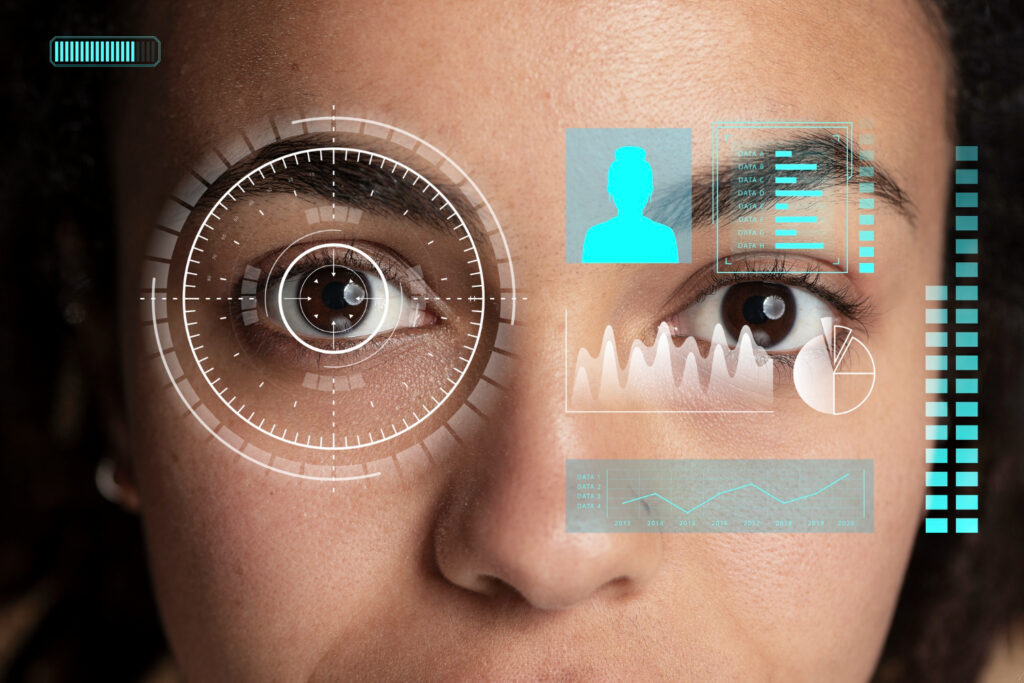
Let’s first talk a bit about authentication. There are basically three ways a user can authenticate themselves. The first is by using something they know, such as a password or PIN. The second is using something they have, such as a token, or key. And the third is using or displaying a particular physical or behavioral characteristic, such as a fingerprint or facial pattern. The third way is known as a biometric.
Therefore, biometric authentication relies on inherence—something you are—to complement knowledge (something you know) and possession (something you have).
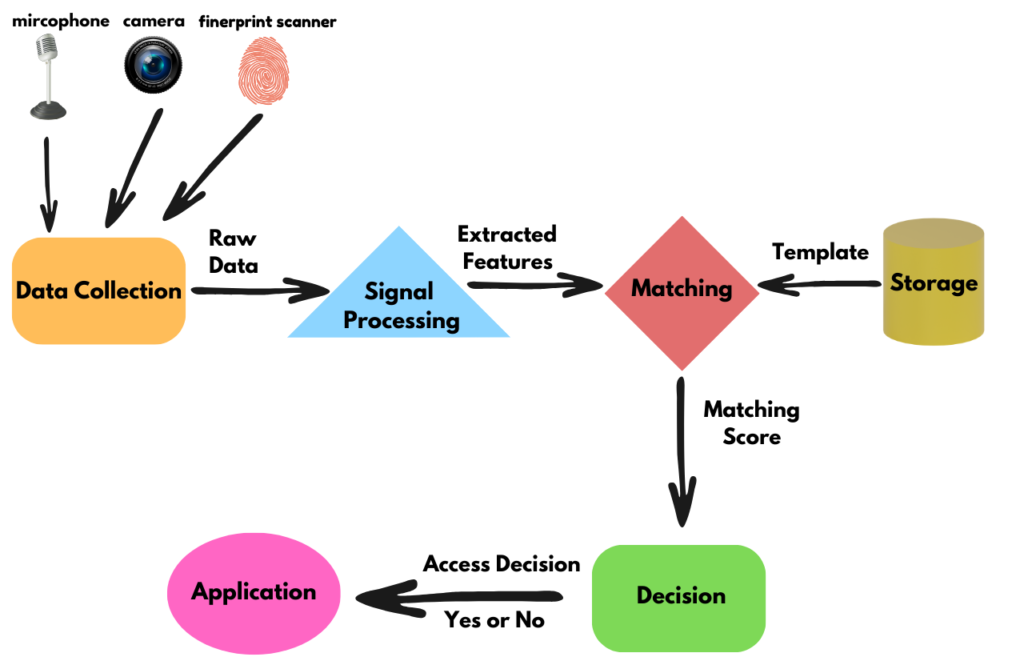
Regardless of the technology, whether it’s facial, fingerprint, or voice recognition, the process follows five core steps:
1. Capture: A sensor on a device reads a physical or behavioral trait, such as your face, iris, fingerprint, or voice pattern.
2. Feature Extraction: The system converts that raw input into a unique template which is a mathematical representation, not a photo or audio file.
3. Matching: This live sample is compared with a stored template, generating a similarity score.
4. Decision: If the score exceeds a particular threshold, access is granted, if it doesn’t meet the threshold, access is denied.
5. Storage: The template is stored either on-device (e.g., within a secure enclave) or off-device (e.g., on a company server or a vendor’s cloud platform). This storage is of particular importance.
Why Storage Security Matters
For executives and high-net-worth individuals, the way technology handles this biometric data, meaning how it’s stored and where, should be among the first privacy considerations. Storing data locally on your own devices or within a secured private network keeps control in your hands and limits duplication.
On the other side lie centralized or cloud solutions that may offer convenience, but they widen the attack surface and increase dependence on third-party vendors. In other words, for leaders, where your biometric template resides often matters more than what biometric you use.
Micro Case Study
A private family office implemented facial recognition to control access to its vault room. By mandating on-premise secure controllers and on-device template storage, they eliminated vendor cloud replication and significantly reduced any third-party risk. The result was faster access with tighter control over sensitive biometric data.
Why Biometric Security Is a Serious Risk for Leaders
Biometric systems achieve automatic personal identification by comparing the biometric data presented by a user, known as the biometric sample, against one or many biometric references stored in the system.
In fact, most biometric systems, regardless of the physiological or behavioral trait used, work in the same way and use the following phases or modules:
A. Privacy Risks: Your “Biometric Shadow
Executives are leaving biometric trails wherever they go, from airports to boardrooms, without realizing it.
The problem: Retail, travel, smart-home systems, and even event venues are using biometric systems, increasingly scanning faces and voices by default. Over time, this creates a kind of involuntary “biometric shadow” which is basically a hidden profile that tracks movements, preferences, and associates, in many instances, without your approval.
Scenario: A VIP walks into a luxury boutique. The store’s cameras quietly capture facial data to “enhance the customer experience.” Weeks later, that same client receives a highly personalized phishing email referencing the visit. This example shows that unregulated biometric collection can be a source of targeted attacks.
Executive takeaway: Treat incidental biometric collection as a controlled privacy risk. If your biometric data is captured, you must ensure that there are clear opt-out options, visible notices, and vendor contracts that forbid long-term storage or data sharing.
B. Financial Risks: Fraud That Leaps Past Passwords
The problem: With advances in AI, attackers are now using AI to mimic voices and faces with alarming accuracy, using synthetic audio and hyper-realistic masks to bypass facial and voice recognition systems that lack strong live-user detection.
Scenario: A treasury approval process requires voice confirmation for final release. Attackers synthesize the executive’s voice from public interviews. The system approves the transaction and funds are gone within minutes.
Executive takeaway: Never rely on a single biometric factor for high-value transactions. Always use multi-factor authentication that combines biometrics with hardware tokens and human-in-the-loop verification for thresholds above a certain limit.
C. Physical Safety Risks: Coercion and Duress
The problem: Unlike a password, you can’t change your face or fingerprint. For executives and public figures, the real danger isn’t just hacking—it’s being pressured, tricked, or even unknowingly forced to unlock a device.
Scenario: A high-profile traveler is pressured to unlock a device at a foreign checkpoint, unaware that the request violates local privacy laws.
Executive takeaway: Use duress modes (alternate PINs that trigger restricted access), attention-aware authentication (eyes-open requirement), and geo-fencing policies that disable biometrics in high-risk jurisdictions.
D. Reputational Risks: Consent, Optics, and Litigation
The problem: Mismanagement of biometric data, whether it’s your own or your organization’s. This can lead to headlines, litigation, and lasting trust damage.
Scenario: A celebrity CEO’s firm uses facial recognition for employee access without clear notice or consent. When the policy leaks, it triggers a class-action lawsuit and reputational fallout.
Executive takeaway: Your personal privacy standard sets the tone for your organization. Enforce explicit consent, minimal retention policies, clear notices, and audit trails that withstand legal and media scrutiny.
Executive-Level Solutions That Preserve Control
Strategy 1: Favor on-device biometrics with hardware isolation
- Choose devices with secure enclaves and on-device template storage.
- Disable cloud backup/replication of biometric templates where possible.
- For doors/safes: prefer local controllers over vendor clouds.
Strategy 2: Make biometrics one factor, not the factor
- Combine with FIDO2 hardware keys (e.g., for financial approvals).
- Require two-party confirmation for high-value actions.
- Add contextual signals (location, time-of-day, device posture).
Strategy 3: Demand robust liveness and anti-spoofing
- Require active liveness (blink/turn prompts) and multi-frame checks.
- Prefer systems tested against 3D masks, high-resolution photos, and replayed audio.
- Insist on independent lab validation.
Strategy 4: Turn off “always-on” by default
- Disable passive face/voice unlocks in travel and public contexts.
- Use attentive modes: device unlock only when the owner is looking at the screen.
- Consider region-based profiles that automatically tighten settings abroad.
Strategy 5: Contractual control with vendors
- Insert clauses banning template sharing and forbidding secondary use (marketing, analytics).
- Require breach notification timelines and data-deletion SLAs.
- Mandate transparency reports for any biometric processing.
Strategy 6: Household + staff policy
- Extend protections to family members and personal staff—attackers target the weakest link.
- Standardize devices, enforce updates, and provide YubiKey-style tokens for shared workflows.
Top 10 Defenses for Executives (Checklist)
- Use on-device templates only; disable cloud copy.
- Pair biometrics with a hardware key for approvals.
- Enforce strong liveness and anti-spoofing tests.
- Turn off always-on face/voice unlock outside secure spaces.
- Use duress PINs and eyes-open requirements.
- Require two-person verification for high-value actions.
- Contract for no secondary use and fast deletion.
- Create a travel profile that tightens authentication abroad.
- Train household/staff; standardize gear and updates.
- Keep a biometric incident playbook and run drills.
Today’s Modalities—Benefits, Blind Spots, Executive Guidance
Fingerprint Recognition
This is the first and most popular biometric; law enforcement has been using fingerprints for over a century. The biometric data is extracted by measuring the location of the various patterns in the friction ridges and valleys on a finger. Every finger has at least one major feature, either the arc, loop, or whorl.
Upside: Mature, fast, widely supported.
Blind spots: Dry/aged skin, sensor wear, latent prints, and poor liveness on budget hardware.
Executive guidance: Prefer ultrasonic or higher-grade sensors; pair with a token on finance apps. Keep a PIN fallback that is memorized, not written.
Facial Biometrics
Facial recognition is a popular biometric technique, and many smart devices employ facial recognition technology. Biometric systems that use facial images can be divided into two main categories: face scan and facial thermogram.
Upside: Frictionless; strong on premium devices; can enforce eyes-open attention.
Blind spots: Presentation attacks (photos, masks) if liveness is weak; lighting conditions; privacy optics in public.
Executive guidance: Enable attention-aware unlock. Turn off face unlock when traveling or entering sensitive spaces. Don’t authorize payments on face alone.
Iris /Retina Recognition
The iris is the colored part of the eye that surrounds the pupil and is made up of complex anatomical features such as the corona, crypts, rings, furrows, freckles, and striations.
These features create a complex pattern that is highly distinctive. This high level of uniqueness allows the iris to provide very high levels of accuracy.
Upside: Highly distinctive; strong accuracy for restricted zones.
Blind spots: Specialized hardware; user comfort; vendor lock-in and template portability.
Executive guidance: Excellent for vaults/rooms; ensure templates are on-prem and encrypted; define a de-enrollment process before deployment.
Voice Recognition
This biometric explores an individual’s acoustic patterns to verify their identity. Physiological and behavioral aspects determine the way our voice sounds.
To a large extent, our anatomy, the size and shape of our throat and mouth, governs how our voice sounds.
A key threat against voice recognition is that a legitimate user’s voice can be recorded and used by an attacker to gain unauthorized access.
Upside: Hands-free authentication and call-center convenience.
Blind spots: Deepfake audio can defeat naive systems; background noise; illness.
Executive guidance: Treat voice as presence signal, not a sole factor. For approvals, require a code from a hardware key or app.
Signature / Behavioral Biometrics
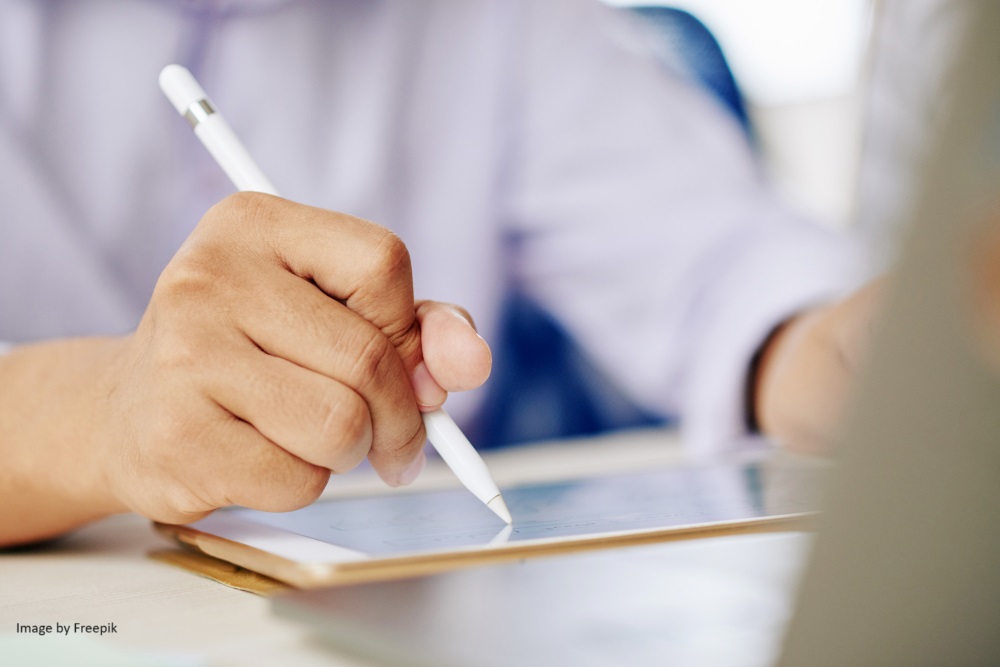
As a biometric, handwritten signatures have been used for centuries. It is based on the physical or behavioral aspects of the signing process. It relies on features such as the total time of the signing process and the pressure of the pen to the pad, not just whether two signatures look the same.
Upside: Continuous security (typing, mouse, gait) can spot impostors in-session.
Blind spots: False positives for neurodiversity, injuries, or fatigue; privacy questions about continuous monitoring.
Executive guidance: Use for anomaly detection with a clear privacy policy and opt-outs for family/staff accounts.
The Bigger Picture: Biometric Privacy in the Executive Exposure Landscape
Even perfectly configured biometrics sit inside a broader risk field:
Digital fingerprinting & tracking: Your devices leak unique signals (fonts, sensors, OS quirks) that can re-identify you across sites. Therefore, combine biometric care with browser/device hardening.
IoT & smart spaces: Luxury homes, yachts, and jets often include ambient sensors. Clarify which are enabled, where data flows, and disable non-essential analytics.
Data brokers & OSINT: Public interviews and media appearances fuel voice training data for deepfakes. Curate your public footprint and restrict long-form raw audio/video where you can.
Cross-border data flows: When traveling, your biometric data may be subject to other jurisdictions’ compelled access or retention norms. Prepare a travel device policy that dials down biometrics.
If You Suspect Biometric Exposure
Safeguard money movement: Raise approval thresholds; require token + human confirmation.
Rotate everything else: New passcodes, regenerate FIDO2 keys, and re-enroll biometrics on fresh devices.
Hunt for persistence: Review account logs, “new device” alerts, SIM changes, and mailbox rules.
Contain & communicate: Notify family office/IT, relevant vendors, counsel, and PR; capture timelines and artifacts.
Tighten policies: Disable always-on features; limit modalities to those with best liveness; update vendor contracts.
Conclusion
For leaders, biometric privacy for executives is not anti-technology, it’s pro-control. Biometrics can reduce friction and raise security when deployed with on-device storage, strong liveness, layered factors, and clear policy boundaries. The goal is simple: keep your identity working for you, not for the attackers, or for vendors who see you as data.
Recap:
Use on-device templates; forbid cloud replication.
Never authorize payments on biometrics alone.
Enforce active liveness and duress options.
Disable always-on in public and during travel.
Write and enforce a personal biometric policy; extend it to family and staff.
Keep a tested incident playbook ready.
FAQs
Q1) Is biometric authentication safe for executives?
It can be, if you keep templates on-device, require strong liveness, and pair biometrics with a hardware key for high-value actions. Using biometrics is fine, once you understand that safety comes from layers, not from any single factor.
Q2) Can I fully prevent deepfake voice or face attacks?
No single control guarantees prevention. However, you can neutralize impact by avoiding voice-only approvals, requiring token-based confirmation, and disabling biometric approvals when traveling or under unusual context.
Q3) Where should my biometric templates be stored?
Preferably you should store biometrics on-device secure enclaves (phones, laptops, access controllers). Avoid vendor cloud storage, and include deletion clauses in contracts. For secure rooms or safes, keep biometric systems managed locally so your data stays on your property.
Q4) What if a border agent demands device access?
Plan ahead. Use a travel profile that disables biometrics and relies on a memorized PIN and hardware key. Store only trip-essential data on travel devices and keep executive data in separate, hardened environments.
Q5) Who in my circle is most at risk?
Anyone with access to approvals: your spouse/partner, chief of staff, family office, executive assistant. Standardize devices, enforce updates, and issue hardware tokens for everyone involved in sensitive workflows.
Q6) Which tools/services do you recommend?
Look for FIDO2-certified hardware keys, devices with secure enclaves, and vendors that can prove liveness strength and contractually ban secondary use. Favor products that let you disable cloud replication of templates. (FIDO2 is the latest authentication standard developed by the FIDO Alliance (Fast IDentity Online).)